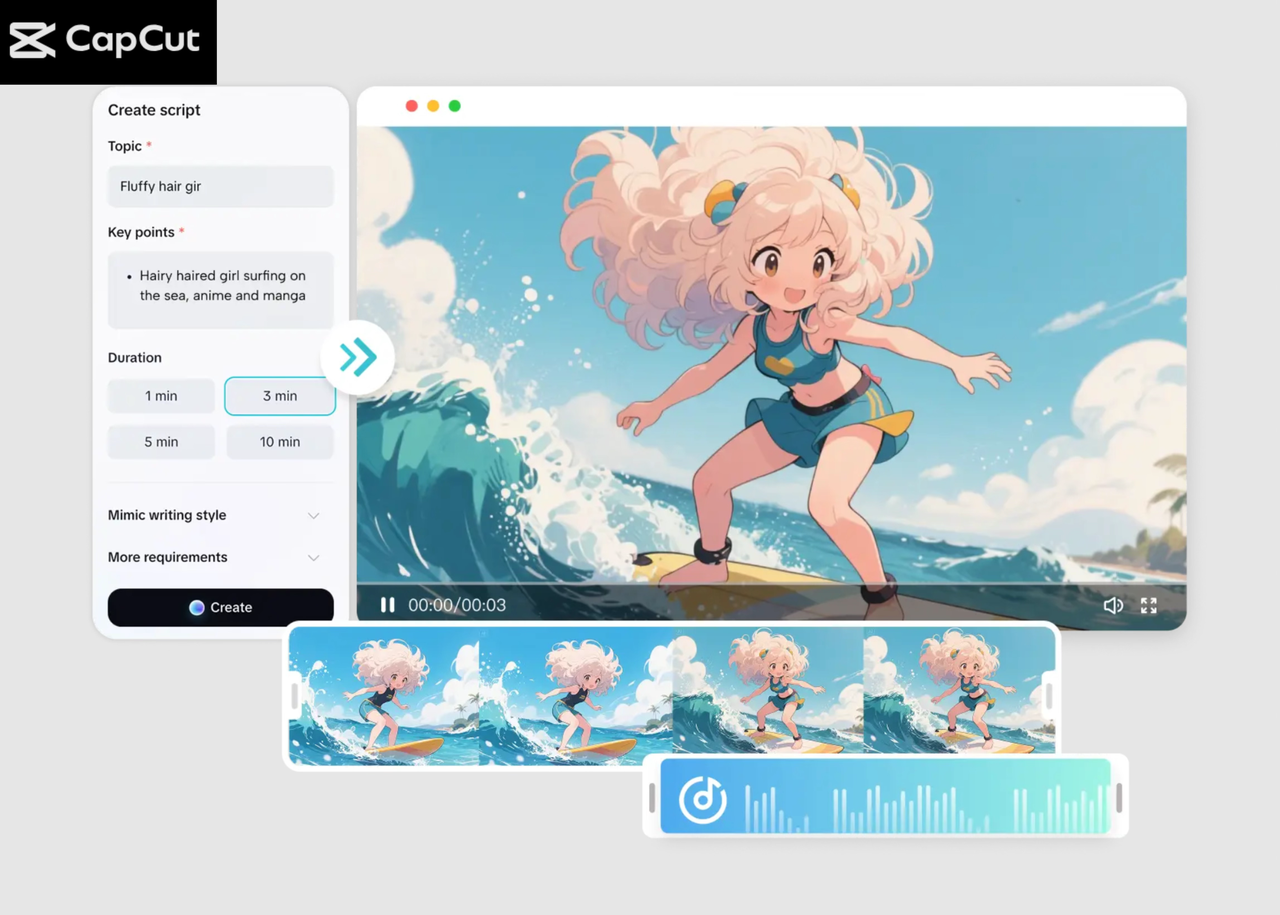
If you’re a busy content creator, you already know the struggle—keeping up with trends, posting consistently, and producing high-quality videos can feel like a full-time job. With deadlines, client projects, and constant content demands, traditional video editing can become overwhelming. CapCut AI Video Maker offers a fast, smart, and automated way to turn ideas into polished videos in minutes.
CapCut’s AI-powered tools are designed for creators who want efficiency without compromising quality. Whether you make educational content, product reviews, travel montages, faceless videos, or social media promos, this tool helps you build eye-catching content with minimal effort. The best part? You don’t need advanced editing knowledge—the AI guides you from script to final export.
Why CapCut AI Video Maker Is a Game-Changer for Creators
1. It Automates the Hardest Parts of Video Creation
Writing scripts, arranging scenes, choosing visuals, trimming clips, and adding effects take time—often hours. CapCut’s AI automates all these steps. You can generate scripts, visuals, captions, voiceovers, and even music with just a few clicks. This dramatically reduces editing time, letting you focus on creativity instead of technical work.
2. No Pro Editing Skills Required
Many creators hesitate to make videos because traditional editing software can be complex. CapCut breaks that barrier with a clean, beginner-friendly interface. Everything is drag-and-drop, pre-styled, and guided by AI, making it accessible even for beginners.
3. Consistent Results in Minutes
If you want to post regularly, CapCut helps keep your schedule intact. The AI ensures every video maintains a polished, consistent look—perfect for YouTube, TikTok, Instagram, and Facebook. Instead of worrying about templates, transitions, and color grading, you can rely on the AI to streamline your workflow.
4. Ideal for Faceless or Camera-Shy Creators
Not comfortable being on camera? No problem. CapCut AI Video Maker allows you to:
-
Generate AI avatars
-
Use voiceovers without recording
-
Add captions that improve engagement
-
Create scenes using just text prompts
This is especially useful for educators, AI influencers, YouTubers, and business owners who want to create content without appearing in every video.
6. It Works Perfectly for Any Niche
No matter what type of content you create, CapCut can help, including:
-
Motivational content
-
Storytelling videos
-
Tutorials
-
Product showcases
-
Trendy reels
-
Documentaries
-
Educational explainers
-
Travel or lifestyle content
The AI adapts your script and auto-builds a video in the right tone and pace.
7. Saves Hours While Improving Quality
Editing manually might take 3–6 hours per video. With CapCut AI Video Maker, you can generate a complete, professional video in 3–10 minutes. If you need revisions, everything is editable—scenes, captions, music, media, and voiceovers. Try CapCut Nano Banana Pro to make your video high-quality and amazing in a minute.
How to Make an Amazing Video with CapCut AI Video Maker
Step 1: Start the AI Video Maker and Set Up Your Project
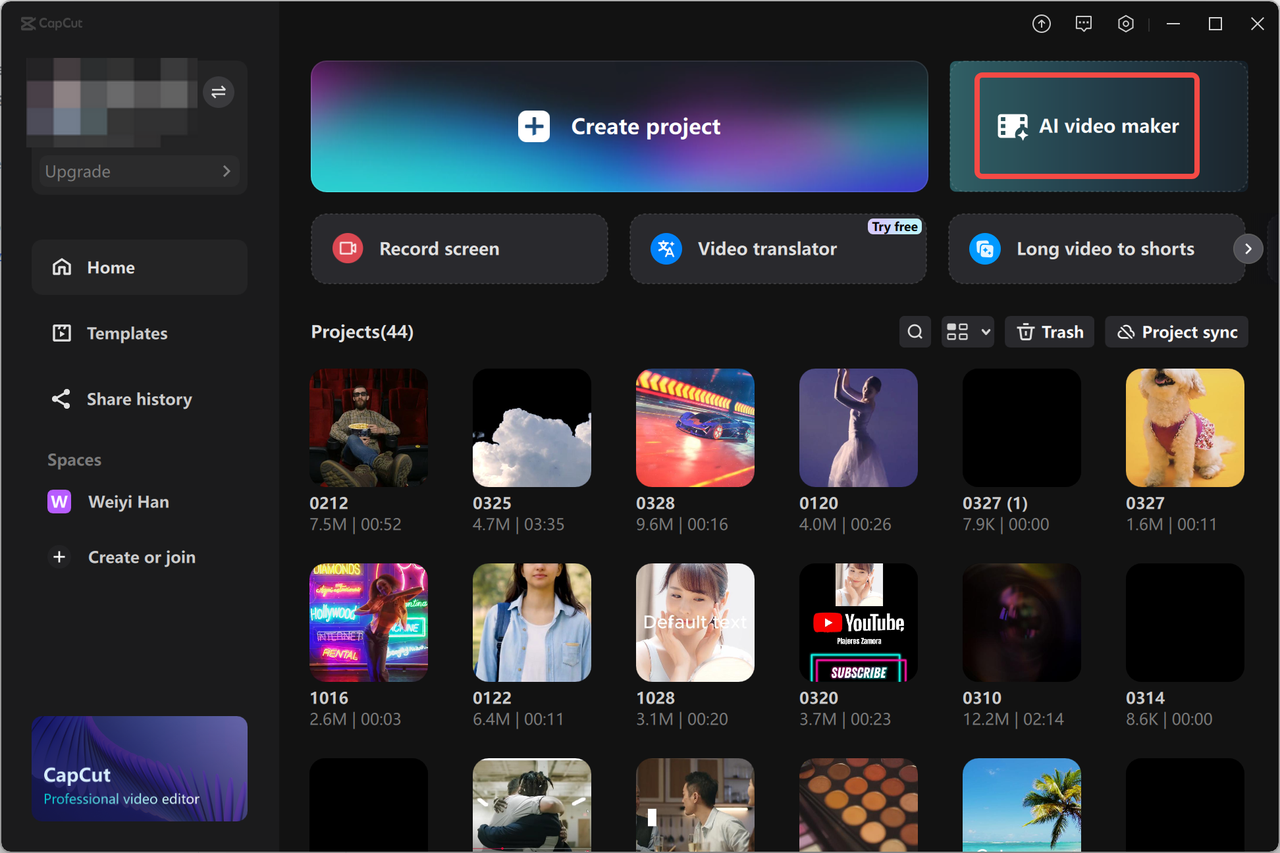
Open CapCut Desktop and choose the “AI video maker” option from the main menu. This opens the workspace where you’ll create your video using automated tools. Click “New project” to get started. Inside the workspace, you’ll see different tabs for script, scenes, captions, and audio. This is where CapCut’s AI begins to assist you.
Tip: Before moving ahead, decide the purpose of your video—promo, tutorial, storytime, or product review. Clear direction helps the AI generate better results.
Step 2: Generate Your Script and Build the Video with AI
Now go to the “Script” tab. This is where CapCut will write your entire video. Enter:
-
Your topic
-
Key details
-
Scene concepts
-
Special instructions or tone
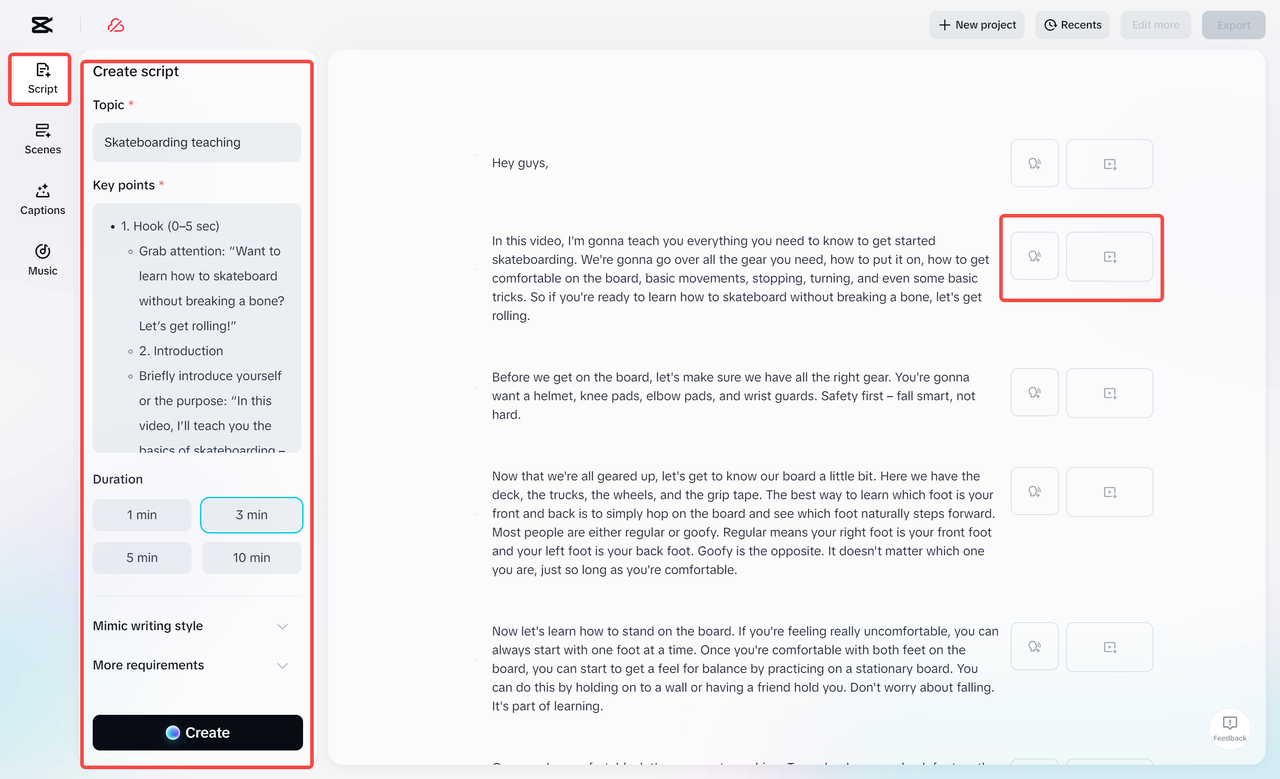
You can also choose a writing style, such as professional, casual, storytelling, or educational. Click “Create” to let the AI generate a polished script. If you like the result, hit “Use” and CapCut will automatically convert the script into a complete video draft. Next, move to the “Scenes” tab. Here you can:
-
Add a voiceover using AI voices
-
Choose from multiple narration styles
-
Replace visuals or upload your own media
-
Add an avatar if you want a virtual presenter
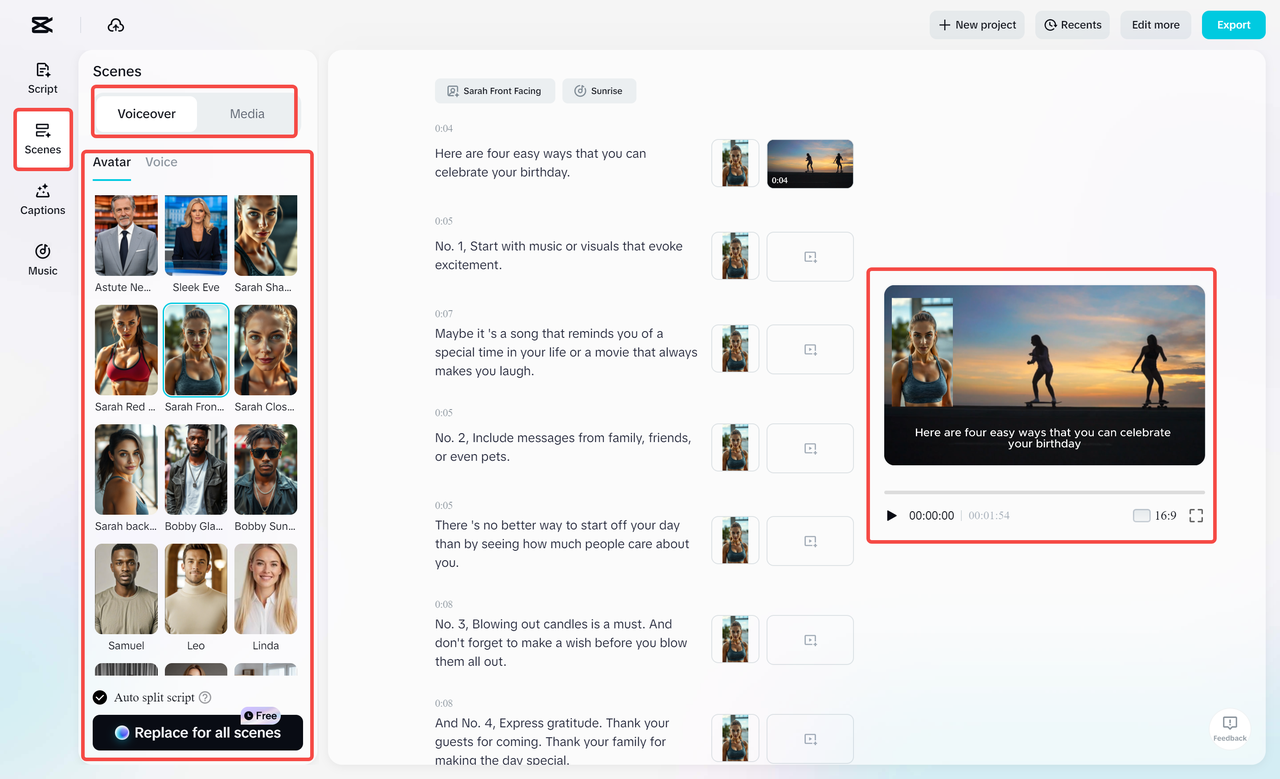
This is perfect for busy creators who want professional narration without recording anything themselves. Then head to the “Captions” tab. Browse templates, choose your favorite, and CapCut will auto-sync and style your text. Finally, go to the “Music” tab to explore curated tracks. Pick the one that fits the vibe of your video—energetic, soft, cinematic, or upbeat. This entire process takes only a few minutes, and the AI does most of the heavy lifting.
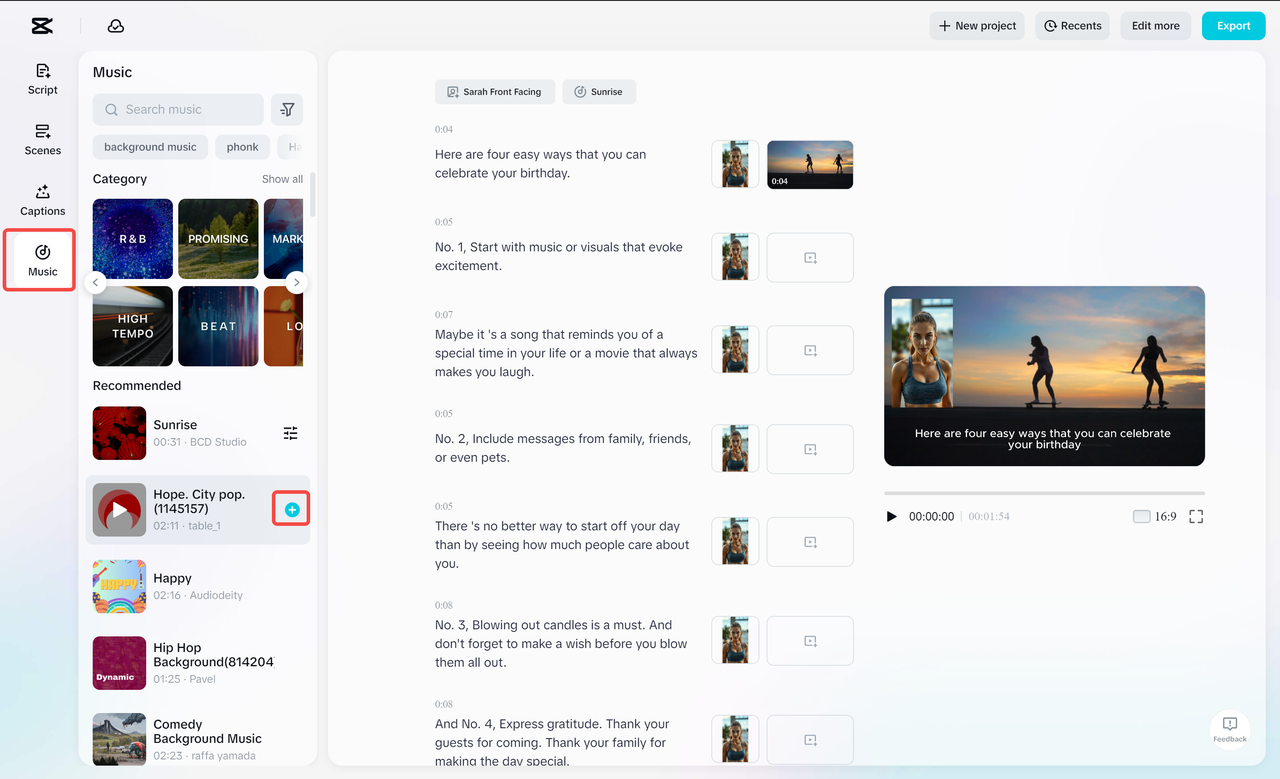
Step 3: Finalize and Export Your High-Quality Video
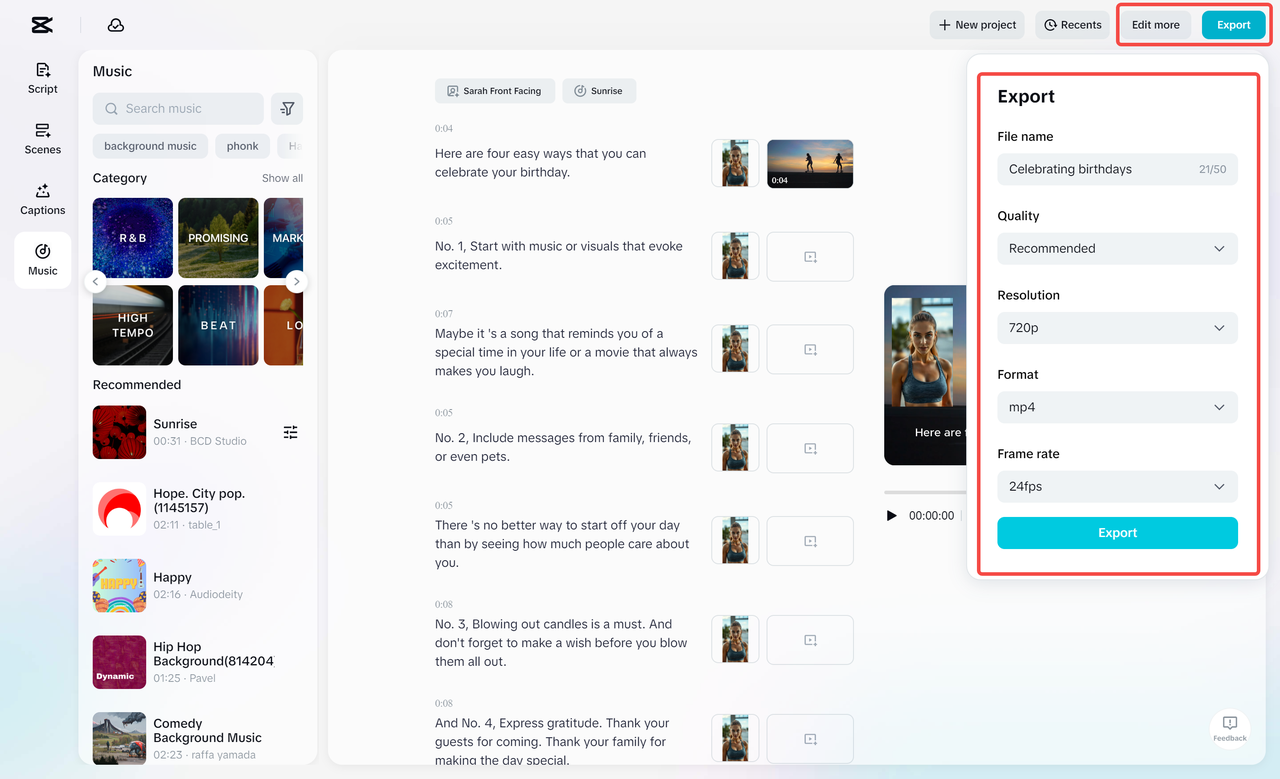
Once you’re satisfied with the visuals, voiceover, captions, and background music, it’s time to export your video. Hit Export, and CapCut will render a high-quality file ready for YouTube, TikTok, Instagram, Facebook, or your clients.
Conclusion
CapCut AI Video Maker is the perfect solution for busy content creators who need speed, quality, and simplicity. By automating the entire process—from scriptwriting to voiceover to final export—it allows creators to produce more content in less time, without sacrificing creativity or style. Whether you’re a beginner or a pro, this AI-powered tool helps you stay consistent, save hours, and scale your content effortlessly. If you want to level up your online presence without spending your whole day editing, CapCut AI Video Maker is definitely worth trying.